
Quick answer: Start with Excel if you need to clean, summarize and explain small-to-medium tables quickly. Learn SQL next if you need to retrieve, filter and join records stored in databases. Add Python when you need repeatable data cleaning, automation, statistical work or more complex analysis. For many aspiring analysts, Excel → SQL → Python is a practical learning sequence, but your role and existing skills may justify a different order.
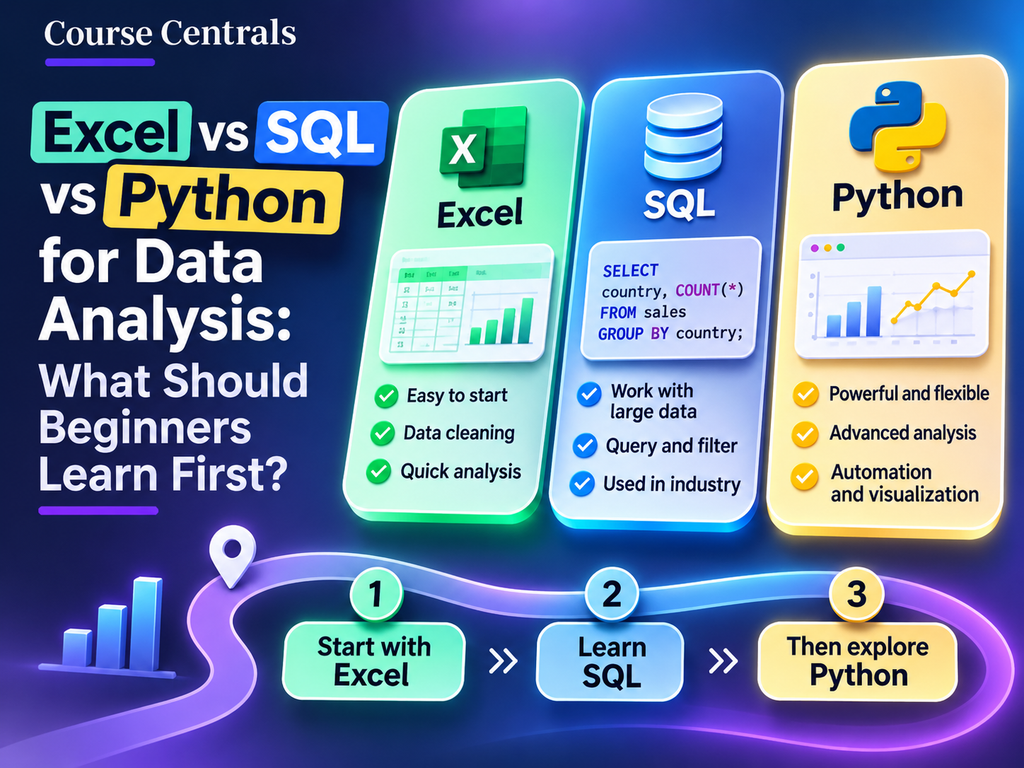
Excel vs SQL vs Python: comparison at a glance
| Question | Excel | SQL | Python |
|---|---|---|---|
| Best first use | Explore spreadsheets, formulas and pivots | Query relational databases | Automate and extend analysis |
| Typical task | Summarize monthly campaign results | Join orders and customers | Clean many files and build repeatable reports |
| Learning challenge | Formula logic and data quality | Tables, joins and aggregation | Programming concepts and libraries |
| First portfolio output | Workbook with a dashboard | Documented queries and findings | Reproducible notebook or script |
| What it does not replace | A governed data warehouse | Spreadsheet presentation and all statistical analysis | Database design and business interpretation |
These are practical comparisons, not absolute tool limitations. Excel can connect to large data sources, SQL engines support sophisticated analytics, and Python can work with databases and spreadsheets.
Which should you learn first?
Choose Excel first if you are new to data
Excel makes concepts such as rows, columns, conditions, lookups and aggregation tangible. Begin with sorting, tables, filters, pivot tables and formulas. Practice with our Excel IF examples and XLOOKUP guide. If you already build reports confidently in spreadsheets, move directly to SQL.
Choose SQL first if your data lives in databases
SQL is especially useful when analysis requires selecting records, grouping transactions, joining related tables and checking the underlying data before visualization. Microsoft Learn’s beginner Transact-SQL learning path covers queries, filtering, joins, subqueries and aggregation. Practice with our free SQL practice website comparison.
Choose Python when you need repeatability or advanced methods
Python becomes valuable when you repeatedly combine files, transform datasets, run custom calculations or prepare for machine learning. The pandas library provides data structures and tools for tabular analysis. Read the official pandas getting-started documentation before deciding which course to take. Python is not automatically the best first tool for every beginner.
One business question, three approaches
Imagine a marketing team has a file containing campaign, market, spend and conversions. Its question is: Which markets produced the most conversions per unit of spend?
| Tool | Illustrative workflow | What to check |
|---|---|---|
| Excel | Create a pivot table by market; sum spend and conversions; calculate conversions divided by spend. | Zero spend, mixed currencies, duplicated rows. |
| SQL | Group records by market and calculate SUM(conversions) / NULLIF(SUM(spend), 0). | Database dialect, joins and grain of the source table. |
| Python | Load the data into pandas, group by market, aggregate the metrics and compute the ratio. | Missing values, type conversion and reproducibility. |
Important: Conversions per unit of spend is not return on ad spend (ROAS). ROAS requires revenue divided by spend. Define metrics precisely before comparing tools.
A realistic 14-day learning plan
| Days | Focus | Deliverable |
|---|---|---|
| 1–3 | Excel tables, IF, SUMIFS, XLOOKUP and pivots | Clean workbook and one-page summary |
| 4–6 | SQL SELECT, WHERE, GROUP BY and ORDER BY | Five documented queries |
| 7–9 | SQL JOINs and data-quality checks | Combined market-level report |
| 10–12 | Python basics and pandas import, filtering and grouping | Short notebook reproducing the report |
| 13–14 | Explain findings and limitations | Portfolio case study with source data and methodology |
This is a starter plan, not a promise of job readiness in two weeks. Spend longer on any stage you find difficult. You can also explore Microsoft’s data analytics learning path to see how analysis connects with Power BI.
How to decide between courses and certificates
For each provider, distinguish free learning materials from a free certificate or a paid certification exam. Check the official enrollment page for access, eligibility, duration and current prices. A project demonstrating accurate analysis may be more useful to your learning than collecting several certificates without practice. Our Google Data Analytics vs Advanced Data Analytics comparison explains one related credential decision.
Frequently asked questions
Can I become a data analyst using only Excel?
Excel can support many reporting roles, but job requirements vary. SQL, visualization and programming skills expand the kinds of datasets and workflows you can handle. Check actual job descriptions in your target market.
Is SQL harder than Python?
They solve different problems. SQL is often faster to start for querying tables, while Python requires broader programming concepts. Difficulty depends on the task and your experience.
Do I need Python before learning Power BI?
No. Microsoft provides introductory Power BI and data analytics learning paths without requiring Python as a prerequisite.
Should I pay for a certificate immediately?
Not necessarily. Start with free official documentation and hands-on exercises. Pay only when the credential’s assessment, recognition and cost align with your goal.
Next steps
- Choose one dataset and a business question.
- Complete an Excel summary and a small SQL query.
- Recreate the analysis in Python only if it adds value.
- Document the assumptions, errors and decisions in a portfolio project.
Sources and editorial method: Tool capabilities and learning-path descriptions were checked against Microsoft Learn and the official pandas documentation on 1 November 2026. Recommendations and the 14-day sequence are Course Centrals editorial guidance, not provider guarantees. This guide contains no paid affiliate recommendation.