
Quick answer: Use IF for a straightforward true/false decision, IFS for several ordered conditions such as score or sales bands, and SWITCH for matching one value against exact codes such as A/B/C, department codes or statuses. IFS is not a replacement for SWITCH: ranges such as “at least 3,000” are easier with IFS, while exact code mappings are easier with SWITCH. Use an ordinary lookup table instead of a huge formula when business rules change regularly.
This comparison answers a different question from our existing Excel IF tutorial. Instead of teaching basic syntax again, it helps you choose between three functions, test thresholds, explain the selection to a colleague and avoid errors in real reporting.
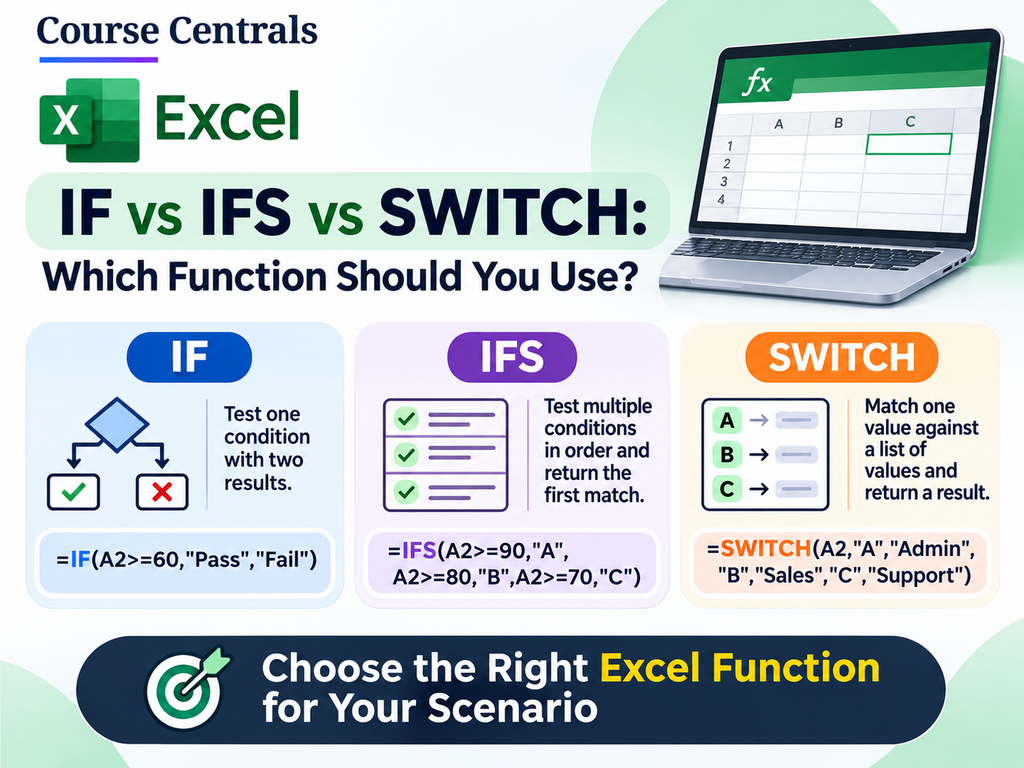
Choosing between Excel IF, IFS and SWITCH
| Decision | Best choice | Example logic | Why |
|---|---|---|---|
| Two outcomes | IF | Target achieved or below target | One test and a true/false result |
| Several numeric bands | IFS | Sales ≥ 3,000 → A; ≥ 2,000 → B; otherwise C | Multiple conditions, evaluated in order |
| Exact status or department codes | SWITCH | P → Pending; A → Approved; R → Rejected | Repeated exact comparisons on one expression |
| Multiple conditional rules with overlap | IF / IFS combined with AND/OR | Sales ≥ 2,000 AND attendance ≥ 90% | Business rule involves Boolean logic |
| Many frequently changing bands | Lookup table, possibly XLOOKUP | Commission rate matrix owned by finance | Easier audit and updates than long expressions |
Case study 1: simple pass/fail decision with IF
A training coordinator has an exam score in B2 and a passing threshold in F2. The result should be “Pass” if the score meets or exceeds the threshold:
=IF(B2>=$F$2,"Pass","Review")Absolute reference $F$2 keeps the threshold fixed when copying the formula down. If the pass mark changes, edit the threshold cell instead of rewriting all the formulas. A simple IF is often preferable to IFS here because there are only two outcomes.
Case study 2: sales tiers with IFS
The fictional commission policy has three categories: A for sales of at least 3,000, B for 2,000–2,999.99 and C for anything below 2,000. Enter sales in C2.
=IFS(C2>=3000,"A",C2>=2000,"B",TRUE,"C")IFS evaluates conditions in order. The highest threshold needs to come first. If you incorrectly test C2>=2000 before C2>=3000, sales of 3,500 will be classified as B, because Excel returns the result for the first TRUE condition. The TRUE,"C" pair handles the default case and avoids an unwanted #N/A.
| Sales | Result | Reason |
|---|---|---|
| 1,999 | C | Below the Tier B threshold |
| 2,000 | B | Exactly at Tier B boundary |
| 2,999 | B | Below Tier A |
| 3,000 | A | Exactly at Tier A boundary |
| 3,250 | A | Exceeds highest boundary |
An older-compatible alternative using nested IF is =IF(C2>=3000,"A",IF(C2>=2000,"B","C")). It returns the same outcomes but becomes less readable as the number of ranges grows.
Case study 3: map codes to labels using SWITCH
Imagine a course catalogue with status codes in E2. A = Available, W = Waitlist, C = Closed. Use SWITCH to map the exact code to the display label:
=SWITCH(E2,"A","Available","W","Waitlist","C","Closed","Unknown code")SWITCH compares E2 against each listed exact value and returns the matching label. The final “Unknown code” is its default. Without a default, an unmatched value returns #N/A. This is not a good tool for inequalities such as sales greater than 2,000 because it is designed for exact matches.
What is the simplest decision flow?
| Ask yourself | If yes | If no |
|---|---|---|
| Am I testing one condition for only two outcomes? | Use IF | Continue |
| Am I testing several inequalities or ordered bands? | Use IFS | Continue |
| Am I matching one exact code against known values? | Use SWITCH | Continue |
| Are there dozens of rules that change regularly? | Build a rules/lookup table | Break down the business logic first |
Version compatibility and portability
Microsoft documents IF across widely used Excel versions, including Excel 2016. Microsoft documents IFS and SWITCH for Excel 2019, Excel 2021, Excel 2024 and Microsoft 365, including compatible Mac releases. If you exchange workbooks with an organization still using older desktop Excel, test compatibility before relying on newer functions. The most sophisticated formula is not necessarily the best one for your audience.
A fifteen-minute practice project: learner award classifications
Create a training results sheet with Name, Score, Attendance, Result, Grade and Access Status. Set the passing score to 70 and minimum attendance to 80% in dedicated cells. Use IF with AND for the pass decision, IFS for grade bands and SWITCH to turn status codes into words. Test scores of 69, 70, 84, 85, 94 and 95 and attendance of 79% and 80%.
Pass: =IF(AND(B2>=$H$2,C2>=$H$3),"Pass","Review")
Grade: =IFS(B2>=95,"A+",B2>=85,"A",B2>=70,"B",TRUE,"C")
Status: =SWITCH(F2,"A","Available","W","Waitlist","C","Closed","Unknown")
Keep the threshold values in H2 and H3 rather than hard-coding them repeatedly. Check a score of 95, because the first matching IFS branch should be A+. Check 85 and 70 to confirm that equality is included. Also check a blank or text score rather than assuming it will always behave like a valid number.
Five mistakes that make logical formulas unreliable
- Checking lower thresholds before higher thresholds with ordered >= conditions.
- Forgetting an IFS catch-all (TRUE, default), which can produce #N/A.
- Using SWITCH for conditions that need >, <, >= or AND/OR rather than exact matching.
- Embedding thresholds in every formula instead of referencing clearly labelled input cells.
- Building an unmanageable 20-branch formula when a lookup table would be easier to audit.
Frequently asked questions
Can IFS replace nested IF?
Often yes for multiple independent conditions, though both require careful branch order and testing.
Is SWITCH the same as IFS?
No. IFS checks distinct logical conditions. SWITCH matches one expression against a list of exact values.
Does IFS have an ELSE argument?
No dedicated ELSE keyword. Use TRUE as the last condition followed by its default value.
Which function should a beginner learn first?
Start with IF to learn logical tests. Move to AND/OR when conditions combine, then IFS and SWITCH when you have several well-defined outcomes.
Related learning and official sources
For detailed IF examples, see our existing Excel IF guide. For business calculations, see SUMIFS and the broader Excel formulas hub.
Verified 14 November 2026: Microsoft primary references: IF, IFS, and SWITCH. All business scenarios and test data are original Course Centrals illustrations.